Is It Safe to Use Uitly? URL Shortener Safety Guide
Introduction
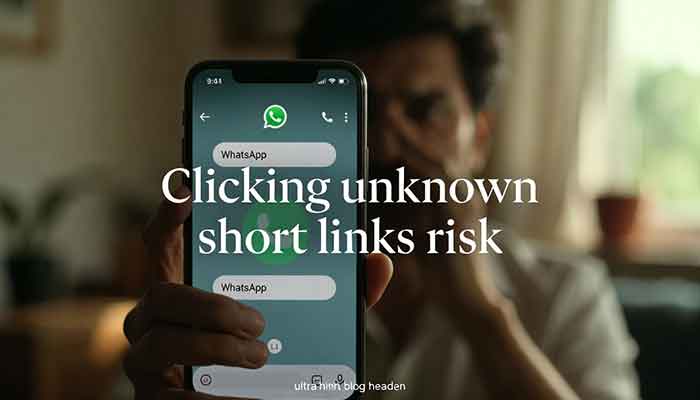
I remember the first time a friend in our WhatsApp group shared a short link that was supposedly a ‘free Jio recharge offer.’ I clicked without thinking. Spoiler: it wasn’t free recharge. It was a phishing page that tried to steal my Google login.
That incident made me obsessed with one question: are URL shorteners actually safe? And more specifically, if I use Uitly — a tool I’ve been recommending to my readers for link management — how do I know it won’t put someone at risk?
In this post, I’ll guide you through everything: what the real risks of short links are, what makes Uitly safer than most, and how you can protect yourself before clicking any shortened URL.
Key Points Summary
| Topic | Key Insight |
| Main Risk of Short Links | URL masking — you can’t see the destination before clicking |
| How to Stay Safe | Use a link preview tool or a trusted shortener with transparency features |
| Is Uitly Safe? | Yes — it offers analytics, link management, and no phishing redirects |
| Best Practice | Never click short links from unknown sources without previewing first |
| Target User | Marketers, creators, and everyday Indian internet users |

My Personal Experience with URL Shortener Safety
I’ve been using Uitly for over a year now — primarily to track link clicks from my blog posts and social media content. And honestly, I was a bit paranoid at first, even as the person running the thing.
Here’s a mistake I made early on: I shortened a URL, shared it in a newsletter, and forgot to check where it actually redirected after a recent update to my website. A few readers messaged me saying the link was broken. The trust hit was real.
That experience taught me the importance of a few non-negotiables: a reliable dashboard to verify active links, click analytics to detect suspicious traffic spikes, and custom domains so readers see a brand they recognize — not some random gibberish URL.
After tightening up my process on Uitly, I haven’t had a single incident. But I also started digging deeper into what makes a URL shortener safe versus sketchy — and what I found was eye-opening.
What Actually Makes Short Links Risky?
Before we blame the tool, let’s understand the actual problem. A URL shortener by itself is just a redirect mechanism. The risk comes from how it’s used.
1. URL Masking
The biggest issue: short links completely hide the destination. When you see ‘bit.ly/xyz123’, you have zero idea if it’s going to Amazon or a malware site. Malicious actors exploit this constantly — in phishing emails, fake job offers, and WhatsApp forwards.
2. Open Redirects
Some low-quality shorteners allow ‘open redirects’ — meaning anyone can create a link that appears to go to a trusted domain but actually bounces to a different, harmful site. This is a serious vulnerability and a common trick used in spam campaigns.
3. Spam and Tracking Without Consent
Certain shorteners embed aggressive trackers or even show interstitial ads before redirecting you. Not only is this annoying, but in some cases, these interstitial pages can contain drive-by malware scripts.
4. Link Hijacking
If a URL shortener service shuts down or gets acquired, old shortened links can get hijacked and redirected to entirely different (and dangerous) destinations. This has happened with several discontinued services.
How to Check If a Short Link Is Safe
Good news: you don’t have to click blindly. Here are some practical methods I personally use:
- Add a ‘+’ at the end of the URL (works on Bit.ly) to preview the destination before it redirects you.
- Use CheckShortURL.com or ExpandURL.net — paste the short link and see exactly where it goes.
- Look for ‘https://’ in the original destination. No HTTPS = big red flag.
- On desktop, hover over a link first — your browser will show the real URL in the bottom status bar.
- If it’s a custom branded link (like ‘uitly.link/promo’), that’s a much better sign than a generic service.
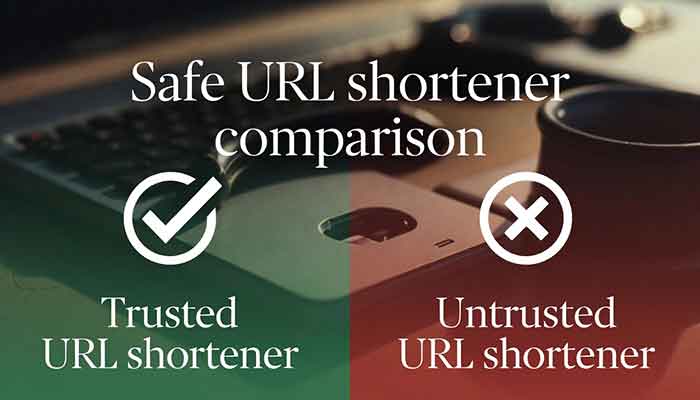
Safe URL Shortener Comparison: What to Look For
| Feature | Uitly | Generic Free Shorteners | Why It Matters |
| Custom Domain Support | Yes | Rarely | Builds trust with your audience |
| Link Analytics Dashboard | Yes | Limited | Detect spam traffic and monitor performance |
| Link Expiry Control | Yes | No | Prevent link hijacking after campaigns end |
| HTTPS Enforcement | Yes | Inconsistent | Ensures secure redirects |
| No Spam Redirects | Yes | Not guaranteed | Protects your users from phishing |
| Link Preview Available | Yes | Rarely | Transparency before clicking |
Why Uitly Stands Out as a Safe URL Shortener
I won’t pretend every URL shortener is the same. There’s a reason I moved from generic tools to Uitly, and it comes down to trust infrastructure.
First, Uitly supports custom branded domains. When your audience sees ‘uitly.link/yourbrand’ instead of ‘bit.ly/ab3c9x’, they know it’s coming from you. That context alone reduces click hesitancy and phishing risk significantly.
Second, the analytics dashboard is built for accountability. I can see every click — when it happened, from where, from what device. If there’s suddenly 500 clicks from an unusual region in one hour, I know something’s off and I can investigate or deactivate the link immediately.
Third — and this is important — Uitly doesn’t bombard your users with shady interstitial ads or trackers that they haven’t consented to. That’s unfortunately not a guarantee with many ‘free forever’ shorteners out there.
Read More: For reference on URL security best practices, see OWASP’s guide on Unvalidated Redirects and Forwards — owasp.org
Common Problems & Practical Solutions
Problem 1: You clicked a short link and your browser flagged it as dangerous
Solution: Close the tab immediately. Run a quick malware scan using Windows Defender or Malwarebytes. Change passwords for any account you might have accessed in that session. In the future, always preview short links before clicking.
Problem 2: Your short link got shared in spam messages without your knowledge
Solution: Check your link analytics dashboard on Uitly. If you see abnormal traffic from unknown sources, deactivate the link immediately and create a new one. Enable link expiry so old links don’t get misused.
Problem 3: Audience distrusts your short links
Solution: Switch to a custom branded domain. ‘yourbrand.link/offer’ converts much better than ‘tinyurl.com/3xq9p’ because it’s recognizable and trustworthy. Uitly makes setting this up straightforward.
Problem 4: You’re unsure if a third-party short link is safe before sharing it
Solution: Run it through CheckShortURL.com first. This free tool expands the link and checks it against known blocklists. Takes 10 seconds and could save you a lot of embarrassment.
Frequently Asked Questions
1. Is it safe to click shortened URLs?
It depends on the source. Short links from trusted brands or individuals you know are generally fine. The risk comes from unknown sources — unsolicited emails, random WhatsApp forwards, or unfamiliar websites. Always preview or verify before clicking if you’re unsure.
2. How can I check where a short link goes before clicking?
You can use tools like CheckShortURL.com or ExpandURL.net. On Bit.ly specifically, appending a ‘+’ to the URL shows you the destination preview page. On desktop, hovering over a link shows the destination in your browser’s status bar.
3. Is Uitly safe to use for my business?
Yes. Uitly is designed with link reliability and audience trust in mind. It supports HTTPS, custom branded domains, link expiry, and a full analytics dashboard — all features that make it a more responsible choice than generic free shorteners.
4. Can URL shorteners spread viruses or malware?
The shortener itself doesn’t spread malware — but it can mask the true destination of a link that leads to a malicious page. This is why link preview and custom branding matter so much. With Uitly, links are tied to your brand identity, making misuse much more detectable.
5. What is the safest URL shortener to use in India?
There’s no single universal answer, but you want a shortener that offers: branded custom domains, click analytics, HTTPS enforcement, and transparent redirects. Uitly ticks all these boxes, which is why I use and recommend it specifically for Indian digital creators and marketers.
Conclusion & My Final Verdict
URL shorteners are not inherently dangerous — but they can absolutely be misused. The key is knowing who created the link, whether the service behind it is trustworthy, and whether you have tools to monitor and control how your links behave.
My personal recommendation: if you’re a creator, marketer, or business owner in India sharing links regularly, stop using random free shorteners with zero accountability. Switch to something like Uitly where you can see who clicked what, expire links when they’re no longer relevant, and build trust with your audience through a branded URL.
And if you’re on the other side — someone receiving short links — take 10 seconds to preview it before clicking. That habit alone can save you from a lot of headaches.
What has your experience been with short links? Have you ever clicked something sketchy? Drop your story in the comments below — I’d genuinely love to know!
URL shorteners like Uitly are safe when used responsibly, but risks like URL masking and phishing exist. Learn how to preview short links before clicking, what features make a shortener trustworthy, and why branded links build more audience trust than generic free tools.